Most malware virus programs are designed to be hard to remove. Malware often embeds itself in windows, hiding its files or modifying system files with its own code. This makes it very hard remove. Through years of experience we can remove the infestation without destroying your data. Your data is important; let us do the job.
The number of computer viruses continue to rise every year. If your computer is running slowly, displaying popup ads or just acting strangely, you probably have some form of malware. Simply installing an anti virus program after the fact will not necessarily fix the problem completely as the virus or malware can prevent an antivirus programs from either installing or removing it. Some can even lock you out of your computer. Prevention is always cheaper than the cure, i.e. repairing the damage.
How was I infected
Malware can come from many sources including malicious banner ads, spam, infected websites, phishing scams, or “free” applications. Lately I’ve noticed a rise in fraudulent anti virus programs such as Total AntiVirus 2020, OpenCloud Antivirus, and AntiSpyware 2019. These fake anti virus programs frequently show up in deeper search results.
Be cautious about search engine results. The deeper you search past pages 1-3 the higher the chance the links will lead you to unscrupulous websites and fake, legitimate looking websites whose whole intent is either to infect your computer with malware or viruses or to scare you into paying for their fake software.
In some cases the actual real target is to get your credit card details so they can get as much money off your card as possible. Avoid clicking on the sponsored links that feature within Internet search results. It’s also advisable to be wary of the top search results as the ad’s can be false.
Phishing scams can be more deadly and devastating. There are two types, phishing and spear phishing.
Phishing is a generalized cyber attack whereas spear phishing is a targeted attack using your name and usually from someone you know or a company that you have a connection to. These cyber attacks both use a disguised email as a weapon. The goal is to trick the email recipient into believing that the message is something they want or something they ‘really need to do”
It could appear as request from their bank, for instance, or a message from a courier company or postal service regarding parcels that can’t be delivered or fake tracking details or an internal company logon problem. It could be a ‘problem’ with an account such as Paypal, Facebook, Ebay, Amazon etc. In all instances the message is designed to get you to click a link or download an attachment or to give them personal details. Clicking a link or downloading an attachment can lead to more serious things such as a ransomware attack which could be catastrophic as it locks you out from being able to open your personal files and folders and unless you pay a ‘ransom’. This ransom could be anything up to $1K and In some cases much more.
In a phishing email, cybercriminals will typically ask for your:
- Date of birth
- Phone numbers
- Credit card details
- Home address
- Password information (or information needed to reset your password/account)
What really distinguishes phishing is the form the message takes: the attackers masquerade as a trusted entity of some kind, often a real or plausibly real person, or a company the victim might do business with. It’s one of the oldest types of cyberattacks, dating back to the 1990s, and it’s still one of the most widespread. In a lot of cases they are badly written and do not use proper grammatical syntax or have incorrect spelling.
There are 5 types of phishing scams:
https://us.norton.com/spear-phishing-scam-not-sport/article
Email phishing scams:
An email phishing scam is a fraudulent email message that appears to be from a person or company known to the victim. It attempts to illegally gather personal and/or financial information from the recipient.
A phishing message typically includes at least one link to a fake website, designed to mimic the site of a legitimate business. The message entices the recipient to provide information that could be used for identity theft or online financial theft.
Vishing scams:
Vishing (voice or VoIP phishing) is the voice version of email phishing. “V” stands for voice, but otherwise, the scam attempt is the same. It is a phone scam in which individuals are tricked or scared into handing over valuable financial or personal information to scammers.
Tech support cold call scams:
Tech support cold calls are when a scammer calls a potential victim claiming to be from a reputable security company. They lie and say they found malware on the victim’s computer.
The criminal pretends to offer a solution by getting the user to install a type of remote desktop software. This allows the attacker access to the computer in order to install real malware. In addition to attempting to install malware on the machine, these scammers will often ask for a fee to “fix” the issue.
Pop-up warning scams:
Pop-ups occur when someone is browsing the internet and sees a small graphic or ad appear on their screen. Usually, pop-ups are related to the content being viewed and link to another website with similar content or merchandise related to the content.
Malicious pop-ups can be terribly intrusive, making it difficult for the user to close the pop-up window. These pop-ups may display a message stating that the computer is infected with malware and offer a phone number for help with removing the malware. Often, the cybercriminals make pop-ups look like they come from a trusted source…(may even say Microsoft Certified etc)
Fake search results:
Fraudulent companies frequently use paid search ads for their “support services” as if they were legitimate, well-known companies. These paid listings can appear at the top of a search results page, a prime location. These results, which can look like the real thing, can promise support offers that seem too good to be true in hopes of luring in a victim, whose top concern is to fix their computer. Unfortunately, when you click on the ad, malware may begin to download to your device, compromising the security of your information and adding to your computer woes.
Our Service Includes:
-
- Removal of any virus, spyware, malware and rootkits on your computer
- Repair any operating system issues and test for proper functionality
- Perform critical system updates
Bob The Helper recommends Malwarebytes Anti-Malware and Anti-Virus alternative* because it can protect you from malware, phishing attacks, ransomware and much more!
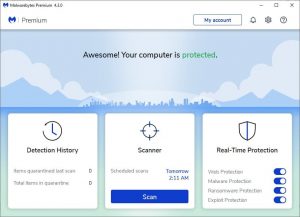
* Affiliate link. No additional cost to you. We recommend this product because it works – pure and simple
Full Protection Available for Windows only